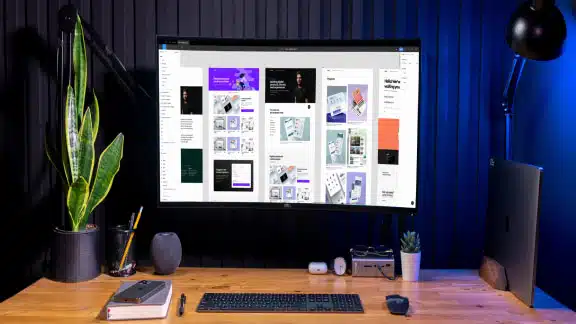
Selecting the best UI/UX tools to incorporate into your workflow can feel overwhelming, given the vast number of options available. To help you narrow down your choices, we’ve categorized the most effective tools into six distinct groups.
Each category highlights tools that stand out for their features, usability, and value so you’ll have everything you need to tackle any design challenge.
All-in-One Design Platforms
Prototyping
No Code Platforms
Wireframing Tools
Visual Design Tools
AI Tools
How to Build Your Own UI/UX Toolkit
All-in-One Design Platforms
All-in-one platforms simplify the design process by combining multiple capabilities, such as wireframing, prototyping, and collaboration, into a single tool. These platforms enable efficient user design workflows and are popular among teams that value integration and simplicity.
Figma

Figma is a cloud-based design platform that allows real-time team collaboration. Its intuitive interface and comprehensive set of features have made it a favorite among UI/UX designers.
- Key Features:
- Real-time collaboration
- Extensive plugin library
- Cross-platform functionality
- Design system management
- Built-in prototyping tools
- Best Uses: Ideal for team-based projects, remote collaboration, creating responsive designs, and maintaining consistent design systems
- Pricing: Free for individuals; paid plans from $19 per full seat per month, with advanced options for larger organizations and enterprises
For a deeper look, check out our article: “What is Figma?”
Sketch

A vector graphics editor and all-in-one design tool tailored for Mac users, Sketch is known for its simplicity, functionality, and extensive plugin ecosystem.
- Key Features:
- Smart layout tools
- Cloud-based collaboration with Sketch Cloud
- Library sharing for consistent assets
- Compatibility with third-party tools
- Offline design capabilities
- Best Uses: Best for macOS users focusing on app or website UI design, creating mockups, prototypes, and detailed visual designs, and working with plugins
- Pricing: Starts at $12 per editor/month billed yearly or $14 on a monthly plan
FlowMapp

With a focus on UX strategy, FlowMapp offers tools for creating user flows, sitemaps, and wireframes. Its straightforward interface is suitable for both novice and experienced designers.
- Key Features:
- User flow diagrams
- Sitemap creation
- Collaboration features
- Wireframe tools for basic layouts
- Drag-and-drop functionality
- Best Uses: Perfect for planning and visualizing user journeys, especially in web design projects, and collaborating on strategic design decisions
- Pricing: Free starter plan; paid plans start at $15/month, with premium options available for larger teams
Prototyping
Prototyping tools enable UI/UX designers to create interactive models simulating how a final product will function. These tools allow teams to test user flows, validate ideas, and gather feedback before moving into full-scale development.
Origami Studio

Origami Studio, developed by Meta, provides advanced prototyping capabilities for creating high-fidelity interactions and animations on Mac. It caters to designers who need precision and customization in their prototypes.
- Key Features:
- Visual programming interface with logic-based components
- Support for complex animations and micro-interactions
- Live device preview for on-the-go testing
- Integration with Figma and Sketch for seamless transitions
- Customizable components and layers to suit unique project needs
- Best Uses: Ideal for specialists focusing on detailed interaction design, creating sophisticated micro-interactions, and testing prototypes directly on real devices
- Pricing: Completely free to use
Figma Make

Figma Make is a prompt-to-app tool that enables designers to transform ideas and existing Figma designs into functional prototypes, web apps, and interactive UIs. By using natural language and visual references, it bridges the gap between static design and live, interactive code.
- Key Features:
- Prompt-to-App Generation: Leverages advanced AI models to translate plain English descriptions and design files into functional web prototypes.
- Visual Context Integration: Allows users to attach screenshots or Figma framces as visual references to guide the AI’s generation process.
- Live Interaction Preview: Provides and immediate, functional preview of the generated app or prototype directly within the workspace.
- Iterative Editing: Supports ongoing refinement through conversational prompts and a specialized “Edit” tool to adjust margins, colors, and layout properties.
- Best uses: Ideal for rapid design exploration, helping UI/UX designers quickly test interactive layouts and validate complex product ideas without building code from scratch. It’s particularly effective for generating interactive UI snippets or sketching out feature flows for user testing.
- Pricing: Make is bundled with Figma’s standard subscription plans and is accessible under the free Starter plan, which includes 500 AI credits per month).
No Code Platforms
No-code platforms allow designers to build functional prototypes and even full-fledged digital products without writing a single line of code.
Bubble

Bubble enables users to create fully functional web applications without coding. It’s a versatile platform that works for startups, entrepreneurs, and businesses that need to develop apps quickly.
- Key Features:
- Drag-and-drop interface for building web apps
- Database management and backend workflows
- Responsive design capabilities
- Plugins for extending functionality
- Hosting and deployment options included
- Best Uses: Perfect for startups creating minimum viable products (MVPs), small businesses building customer-facing platforms, and individuals testing app ideas
- Pricing: Free basic plan; paid plans start at $29/month with scalable options for larger teams and enterprises
UXPin

UXPin bridges the gap between design and development by offering code-based design tools. It allows designers to create interactive prototypes with real components.
- Key Features:
- Interactive components with states and logic
- Integration with popular design tools like Sketch
- Advanced prototyping features
- Collaboration tools for team-based projects
- Accessibility features for inclusive design
- Best Uses: Ideal for teams working on detailed, interactive prototypes and developers looking for design tools that mirror production environments
- Pricing: Start at $29 per editor per month when billed annually, with options for larger teams
Webflow

Webflow empowers users to build responsive websites visually while maintaining clean, production-ready code. It’s a favorite among designers who want more granular control over their projects.
- Key Features:
- Visual website builder with CSS and HTML output
- CMS for dynamic content
- Hosting services included
- Animations and interactions without coding
- E-commerce functionality for online stores
- Best Uses: Great for creating professional websites, e-commerce platforms, and landing pages without needing extensive coding knowledge
- Pricing: Free basic plan; paid plans start at $15/month (billed annually) for simple, static sites, with more intensive business and enterprise options available
Wireframing Tools
In the initial stages of UI/UX design, wireframing tools enable designers to map out their digital products’ structure, layout, and functionality. These tools help simplify the creative process by offering intuitive interfaces and features for planning user journeys and organizing content hierarchies.
FigJam

An online whiteboard by the makers of Figma, designed for team collaboration during the earliest stages of the design process.
- Key Features:
- Infinite canvas for free-form brainstorming and diagramming
- Built-in templates for user flows, empathy maps, and sitemaps
- Sticky notes, stamps, and live reactions for team engagaement
- Integrated timer and voting tools for facilitating design workshops
- Seamless integration with Figma for moving ideas into high-fidelity design
- Best Uses: Low-fidelity wireframing, mapping user flows, team brainstorming, and organizing project requirements.
- Pricing: Similar to Make, FigJam bundled with Figma’s standard subscription plans and is accessible under the free Starter plan, which includes 500 AI credits per month).
Balsamiq

Balsamiq is a wireframing tool known for its simplicity and hand-drawn aesthetic. It’s designed to mimic the sketching process, which makes it ideal for brainstorming and early design stages.
- Key Features:
- Drag-and-drop components for quick wireframe creation
- Hand-drawn style for focusing on structure, not visuals
- Reusable symbols for efficiency
- Collaboration features with real-time feedback, including version control and commenting
- Interactive prototype creation to clarify design vision
- Best Uses: Perfect for early-stage ideation, brainstorming, and creating low-fidelity wireframes
- Pricing: Starts at $16/month for up to 10 projects; includes 500 AI credits and Slack integration
Whimsical

Whimsical is a versatile tool for wireframing, mind mapping, and flowcharting. It offers a clean and intuitive interface.
- Key Features:
- Mind maps to organize and brainstorm effectively
- Drag-and-drop wireframe elements with smart snapping
- Built-in icons and templates for efficiency
- Real-time collaborative document creation for team-based projects
- Integration with tools like Slack and Google Drive
- Best Uses: Great for creating low-fidelity wireframes, planning workflows, and collaborating with team members
- Pricing: Free starter plan for unlimited members; paid plans starting at $10 per editor per month (billed annually)
Excalidraw

Excalidraw is a virtual tool that excels at rapid, low-fidelity sketching. Its signature hand-drawn style keeps the focus squarely on structure and layout rather than visual polish.
- Key Features:
- Infinite canvas
- Collaborate multi-user editing
- Massive library of user-contributed icons and templates
- Best Uses: Great for real-time brainstorming and low-fidelity wireframing, and mapping out structural ideas before committing to higher-fidelity platforms.
- Pricing: Offers a free base model with the option to upbrade to Excalidraw+ for $7/mo or $72 annually.
Visual Design Tools
Visual design tools bring creativity to life by allowing designers to create stunning, high-fidelity visuals that resonate with users. These tools provide advanced branding and user interface design capabilities, such as designing logos and icons and creating marketing materials.
Adobe Photoshop and Illustrator

Adobe Photoshop and Illustrator are industry-standard tools for graphic and visual design. They include powerful features for image editing, vector graphics, and creative workflows.
- Key Features:
- Advanced editing tools for raster and vector designs
- Layer and masking capabilities for precision
- Seamless integration within the Adobe Creative Cloud
- Extensive library of fonts, brushes, and templates
- Access to Adobe Stock image service
- Best Uses: Ideal for branding, UI design, image editing, and creating custom illustrations
- Pricing: Starting at $69.99/month for the full suite of Creative Cloud apps
Canva

Canva is a user-friendly platform that helps designers create professional visuals without requiring advanced design skills.
- Key Features:
- Drag-and-drop interface with thousands of templates
- Collaboration tools for team projects
- Extensive library of stock images, fonts, and graphics
- Customizable design elements for branding
- Real-time collaboration features, including progress tracking
- Best Uses: Perfect for creating social media graphics, presentations, and marketing materials
- Pricing: Free plan available; paid plans starting at $18/month for one person, with team and enterprise plans for larger groups
Google Fonts
IMG Google Fonts is a free and widely-used library of fonts that makes it easy to integrate beautiful typography into designs.
- Key Features:
- Over 1,500 free fonts optimized for web and print
- Easy-to-embed code for web developers using the Google Fonts CSS API
- Preview and customize text before downloading
- Open-source licensing for flexible use
- Compatible with most browsers and devices
- Best Uses: Excellent for selecting and incorporating typography into UI/UX designs, websites, and branding projects
- Pricing: Completely free to use
AI Tools
Artificial intelligence is revolutionizing the UI/UX design field. AI empowers designers to simplify workflows, improve personalization, and create more intuitive digital experiences. Today’s top UX UI design tools—including AI-driven design suggestions and automated user behavior analysis—are shaping the way designers approach creativity and problem-solving.
Uizard

Uizard enables users to transform hand-drawn sketches and ideas into editable digital wireframes and prototypes in seconds. It simplifies the design process by leveraging artificial intelligence to bridge the gap between initial concepts and high-fidelity mockups.
- Key Features:
- Autodesigner: Generates multi-screen design mockups from simple text prompts, significantly speeding up the ideation phase.
- Sketch-to-Design: Instantly converts hand-drawn sketches into customizable digital design elements
- AI Theme Generation: Automatically creates consistent color palettes and typography styles from uploaded images or screenshots
- Pre-built Templates & Components: Offers a massive library of ready-to-use drag-and-drop elements, UI components, and complete design
- Best uses: It’s best used for rapidly prototyping mobile apps and websites, making it an ideal tool for non-designers, startupfounders, and product managers who need to visualize concepts quickly.
- Pricing: Uizard offers a free tier for individual users with limited projects. Their paid plans follow a subscription model as well that provides more access to advanced features, increased project limits, and pro collaboration tools for teams.
Adobe Firefly

Adobe Firefly is a family of creative generative AI models designed to integrate directly into Adobe’s ecosystem, allowing users to create, modify, and expand content using text-to-image prompts.
- Key Features:
- Text-to-Image: Generates high-quality images from descriptive text prompts.
- Generative Fill: Allows users to add, remove, or replace elements within an image using simple brushes and prompts.
- Text Effects: Applies complex textures, patterns, and styles to text elements instantly.
- Generative Recolor: Quickly changes the color palettes of vector graphics based on text descriptions
- Best uses: Great for quickly prototyping visual concepts, generating unique assets for marketing materials, and acceslerating image editing workflows within Creative Cloud applications like Photoshop and Illustrator.
- Pricing: Adobe offers a free version with a limited monthly allocation of “generative credits.” Unlimited or expanded access requires a paid Creative Cloud subscription or standalone Adobe Firefly premium plan.
Claude

Claude is an advanced AI assistant developed by Anthropic, built to streamline complex workflows through superior reasoning and precise coding capabilities.
- Key Features:
- Long-Context Window: Processes massive amounts of data, allowing you to upload entire design system libraries or lengthy technical documentation for instant analysis.
- Artifacts Interface: Provides a dedicated, side-by-side workspace to view and iterate on code, wireframes, and design documentation in real-time
- Advanced Coding Capabilities: Excels at translating natural language prompts into clean, functional front-end code (HTML, CSS, React) to rapidly prototype UI concepts (aka, “vibe coding”).
- Nuanced Tone Control: Maintains specific brand voices with higher accuracy, which is essential for drafting consistent microcopy and UX writing during the design process.
- Visual Analysis: Capable of interpreting complex UI screenshots or mood boards to offer design critiques or suggest accessibility improvements.
- Best uses: Best for rapidly prototyping front-end components, drafting cohesive UX copy, and parsing dense documentation to inform design decisions. Offers integration with Figma.
- Pricing: Claude offers a free tier with usage limits and a paid “pro” subscription that provides higher usage capacity, access to the most powerful models, and the ability to utilize expanded project context.
v0
v0 by Vercel allows users to create complex UI components and full-page layouts simply by describing them in plain language. It leverages the underlying Vercel ecosystem to generate production-ready code that can be integrated directly into React, Tailwind CSS, and Shadcn UI projects.
- Key Features:
- Natural Language to UI (Vibe Coding): Converts text prompts into fully functional, accessible, and responsive web components.
- Component Iteration: Supports refinement and modification of generated designs through follow-up conversational prompts.
- Framework Integration: Outputs high-quality code built with React, Tailwind CSS, and Radix UI primitives.
- Copy-Paste Implementation: Provides easy-to-use code snippets and CLI integration to move designs from the editor to your codebase seamlessly.
- Interactive Previews: Offers a real-time environment to view and test generated components before exporting the code.
- Best uses: Excellent at rapidly prototyping front-end interfaces, generating boilerplate UI components, and accelerating the development of design systems for React-based web applications.
- Pricing: v0 offers a free tier with a monthly allowance of credits for generating designs. A paid “Premium” subscription is available which provides a higher credit limit, faster generation speeds, and team-based features for collaboration.
How to Build Your Own UI/UX Toolkit
Your UI/UX design toolkit should be a curated collection of tools that align with your goals and your workflow. For example, all-in-one platforms like Figma or Adobe XD are excellent for collaborative design, while niche tools like Balsamiq are perfect for wireframing. Researching tools based on your unique project needs will help you make the most informed decision.
Whether you’re a solo designer or part of a larger team, having the right mix of tools will empower you to tackle any project confidently.
Key steps to building your toolkit:
- Assess your needs: Determine whether you need tools for wireframing, prototyping, visual design, or collaboration. Consider who you’re building interfaces for and what your audience’s core problems or needs are.
- Research and test new tools: Most tools offer free or low-cost trial periods. Use these to try out the tools’ functionality and ease of use and to see if they fit your project and needs.
- Invest strategically: Balance the tools’ pricing with the features you’ll use most frequently and consider how much budget you’ll need for various features, especially if you plan to use agentic AI, which runs off of tokens and other monthly subscriptions.
Build Your Portfolio with Us
Are you considering becoming a UI or UX designer but aren’t sure where to start? Explore our Web Design Programs and dedicated UX/UI Design Course to learn a little more about what foundational professional skills employers are looking for in graduates. Through our user-centered online curriculum, students receive personalized, 1:1 project feedback from industry professionals to build a competitive, modern portfolio.

Laine Hissett is an audio journalist and commercial writer with a strong background in writing procedures and business correspondence. Read more articles by Laine.





ENROLL IN AN ONLINE PROGRAM AT SESSIONS COLLEGE: